
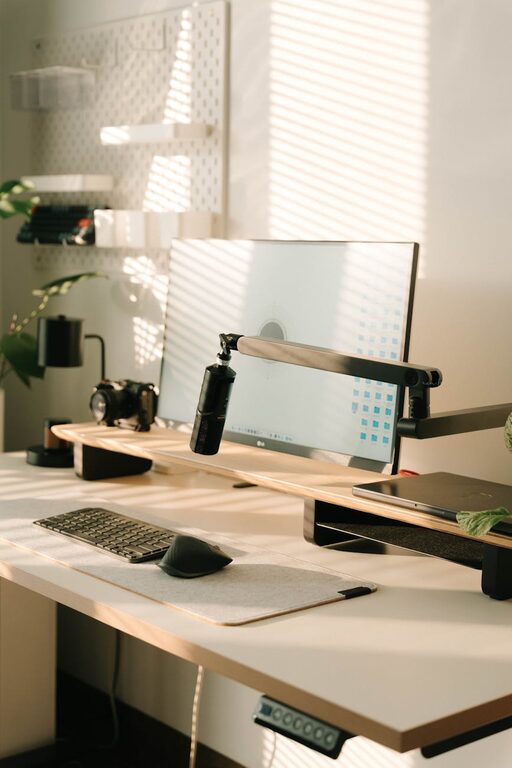
Creating a productive home office environment is essential for anyone who works remotely or spends significant time at home on professional tasks. A well-designed workspace can improve focus, reduce distractions, and make working from home a more enjoyable experience. Whether you have a dedicated room or just a small corner, the following tips will help you create a home office that supports productivity and well-being.
Choose the Right Space
Select a Dedicated Area
Having a specific, designated spot for work signals your brain that it’s time to focus. If possible, use a separate room with a door for your home office. This helps minimize distractions and allows you to leave work behind at the end of the day.
If space is limited, choose a quiet corner or a spot near a window with good natural light. Avoid setting up your workspace in high-traffic areas like the kitchen or living room.
Consider Natural Light and Ventilation
Natural light boosts mood and energy, so position your desk near a window if you can. Fresh air and good ventilation also promote alertness and comfort during long work hours.
If your space lacks natural light, invest in full-spectrum lamps or adjustable LED lighting to reduce eye strain.
Invest in Comfortable and Functional Furniture
Ergonomic Chair and Desk
Comfort is key to productivity. Choose an ergonomic chair that supports your lower back and allows your feet to rest flat on the floor. Your desk height should let your arms rest comfortably at a 90-degree angle when typing.
Standing desks or adjustable sit-stand converters are a great option if you want to alternate between sitting and standing throughout the day.
Use Proper Equipment
Ensure you have the necessary tools such as a reliable computer or laptop, a high-quality monitor, keyboard, and mouse. Using a headset or external speakers can improve audio quality for virtual meetings.
Keep frequently used items within arm’s reach to minimize disruptions.
Organize and Declutter
Keep Your Desk Tidy
A cluttered desk can lead to a cluttered mind. Limit your workspace to essential items and store away paperwork, notes, or gadgets you aren’t using.
Use organizers, trays, or drawer dividers to group supplies and keep everything neat.
Digital Organization
Use file management systems and cloud storage to keep digital documents orderly. Regularly clean up your desktop and emails to maintain a clear workflow.
Minimize Distractions
Manage Noise
If your environment is noisy, consider noise-cancelling headphones or a white noise machine. Some find low background music helpful, but choose what suits your focus best.
Set Boundaries
Communicate with family or housemates about your work hours and the importance of minimizing interruptions. Use “Do Not Disturb” signs if needed.
Limit Smartphone Use
Avoid unnecessary phone distractions by setting your device to silent mode or using apps that limit notifications during work hours.
Create a Routine and Break Schedule
Establish Work Hours
Set consistent start and end times to your workday to create structure. This helps switch your brain into work mode and maintain work-life balance.
Take Regular Breaks
Breaks improve concentration and prevent burnout. Use techniques like the Pomodoro method (25 minutes of focused work followed by a 5-minute break). Stand up, stretch, or take a short walk during breaks.
Add Personal Touches
Decorate Thoughtfully
Adding plants, artwork, or favorite photos can make your workspace inviting and boost your mood. Choose decor that inspires you but avoids clutter.
Use Pleasant Scents
A diffuser with calming essential oils like lavender or peppermint can promote relaxation and focus.
Optimize Technology and Internet
Reliable Internet Connection
A fast and stable internet connection is crucial for video calls, cloud collaboration, and efficient research. Consider upgrading your internet plan or using a wired Ethernet connection if Wi-Fi is unstable.
Backup and Security
Protect your work data with regular backups and strong passwords. Use privacy screens if you work in shared spaces.
Stay Motivated and Connected
Set Clear Goals
Write daily or weekly goals to stay focused and track progress. Celebrate achievements to maintain motivation.
Stay Connected
Remote work can feel isolating, so schedule virtual coffee breaks or check-ins with colleagues to maintain social interaction.
—
By thoughtfully setting up your home office with these tips, you can create a comfortable and productive environment that supports your work and well-being. Remember that every person’s needs are different, so don’t hesitate to experiment and adjust your workspace to what works best for you.